


How to Organize 100+ Open Tasks Without Feeling Overwhelmed
Learn how to organize 100+ open tasks, clean your backlog, prioritize active work, and stay focused without feeling overwhelmed.

Keerthivasan
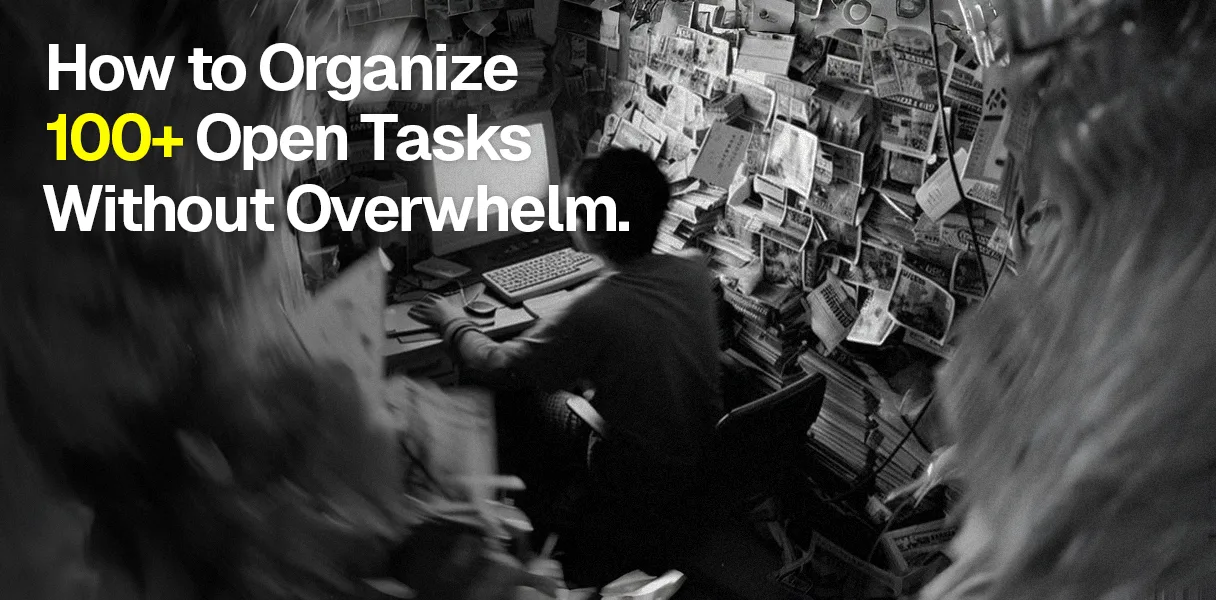
A task list can get out of hand quietly. One task becomes ten. Ten become thirty.
Then meetings create follow ups, emails create more work, projects get broken into smaller tasks, and suddenly you are looking at 100 or more open items.
At that point, adding another priority label usually does not help. Neither does starting at the list every morning and asking yourself what to do first.
The real problem is that everything has started to look equally important. When you have 100+ open tasks, you need to stop treating the list as one giant workload.
You need to separate what needs your attention now from everything else.
Start With One Complete Task List
Before organizing anything, get everything into one trusted place. Tasks often end up scattered between email, meeting notes, messages, notebooks, project tools and random reminders.
That makes the workload feel even bigger because you are constantly trying to remember where something was captured. Bring those tasks together first.
Do not worry about perfect categories yet. Just make sure you have one complete picture of what is open. Once everything is visible, you can start making decisions.
Clean the List Before You Prioritize It
This is the step people tend to skip. They open a list of 100 tasks and immediately start assigning priorities. That is backwards. First, remove tasks that no longer deserve to exist.
Delete outdated tasks. Remove duplicates. Close things that are already finished. Move tasks that belong to someone else into a waiting or delegated list.
Then look for vague tasks. Website. Research. Follow up. Marketing. These are not really actionable tasks. They force you to figure out what the task means before you can even begin.
Turn them into a visible next action. Review homepage copy is much easier to act on than a website. A good task should tell you what needs to happen next.
Separate Your Backlog From Your Active Work
This is probably the most important distinction when dealing with 100+ tasks. Your backlog is everything that is still open. Your active list is what you have chosen to work on now.
They should not be the same size. You might have 120 tasks in your backlog and only five active tasks. That is not a failure. It is a healthy separation between everything you could do and what you have actually committed to doing.
A simple workflow can help:
Backlog → Ready → In Progress → Waiting → Done
Backlog is where unfinished work sits. Ready means you have enough clarity and preparation to start. In progress means you are actually working on it.
Waiting means someone or something else has to move first. Done means it is closed. The important part is keeping progress small.
If 15 tasks are active at the same time, you probably have too many things competing for your attention.
Decide What Deserves Attention Now
Once the list is clean, look at urgency and importance together. Ask a few straightforward questions. Is there a real deadline? What happens if I delay it?
Does someone else depend on me? Will delaying it create a bigger problem? How important is the outcome?
You may discover that some tasks only feel urgent because they have been sitting on the list for a long time. That is not the same thing as being genuinely urgent.
You also do not need to rank every task against every other task. Your immediate goal is to identify what needs to move now, what can come next, and what can safely wait.
Consider Effort, Time and Energy
Priority alone is not enough. A task that takes ten minutes is different from one that requires three hours of uninterrupted concentration.
Estimate the effort roughly. Then look at your actual capacity. A quick administrative task might fit into a gap between meetings.
A difficult piece of writing may need a quiet block when your energy is higher. Grouping similar tasks can also reduce unnecessary switching.
You might handle several small administrative tasks together instead of interrupting focused work every time one appears. This is where a task manager and calendar work well together.
Your task list tells you what exists. Your calendar tells you what can realistically fit. Do not put all 100 tasks on your calendar. Schedule the work you have genuinely committed to doing.
Keep Some Space for Unexpected Work
Your plan will change. A meeting will run late. Someone will need help. A task will take longer than expected. Something completely unexpected will appear.
If your day is planned down to the last minute, one interruption can throw everything off. Leave some breathing room.
When something new arrives, capture it first rather than immediately abandoning whatever you are doing. Process it when you review your tasks.
That small habit can prevent new requests from constantly taking over your day.
Review the List Before It Becomes Overwhelming Again
A large task list needs regular maintenance. At the end of the day, take a few minutes to see what moved, what is stuck and what needs attention next.
Once a week, review the backlog properly. Delete tasks that no longer matter. Break down large tasks. Check what is waiting on other people. Move important work into the next planning period.
Pay attention to tasks that keep getting postponed. If something has survived five or six reviews without moving, there is probably a reason.
Maybe it is too vague. Maybe it is too large. Maybe the timing is wrong. Or maybe you do not actually need to do it. That is useful information.
MySamantha can fit into this kind of workflow by bringing tasks together with the surrounding notes, reminders and planning context. The useful part is not simply having another place to store tasks.
It is reducing the friction between capturing something and deciding what should happen next. The goal is not to wake up tomorrow with zero tasks. That is probably unrealistic.
The goal is to look at 100 open tasks and know that only a handful actually require your attention right now. Keep the backlog. Clean it regularly. Limit what is active. Make the next action clear.
Give important work enough time. Once you do that, 100 tasks stop looking like 100 emergencies. They become a list you can actually work from.


