


How to Turn Emails Into Tasks Without Losing Context
Learn how to turn emails into clear tasks while keeping important context, deadlines, and follow-ups connected so you can stay organized and focused.

Keerthivasan
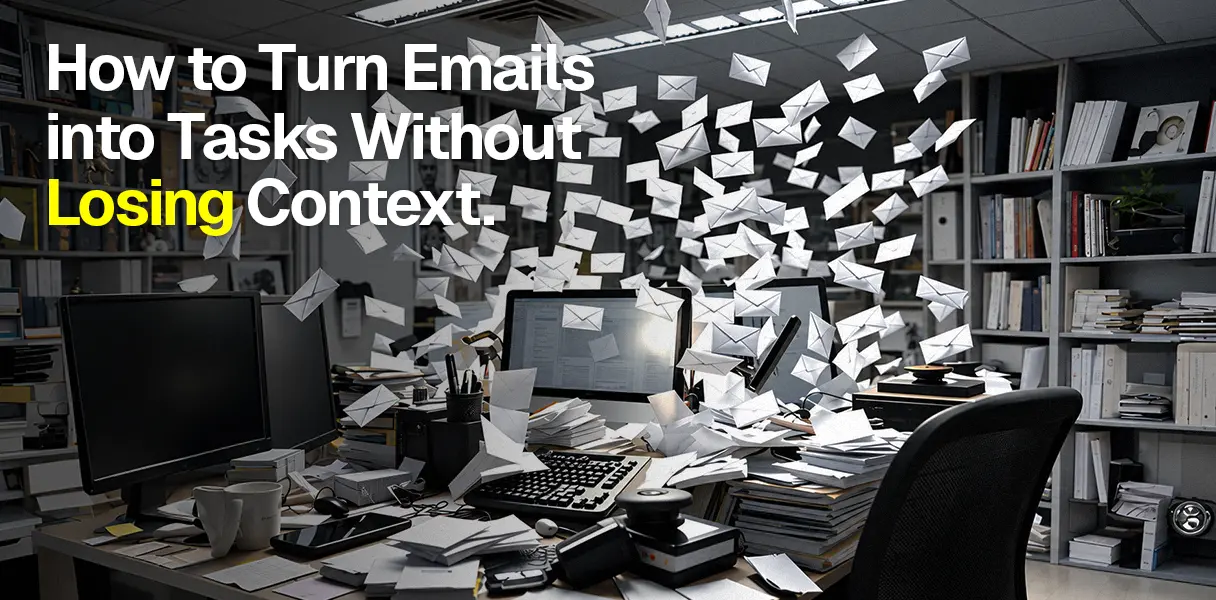
There is a particular kind of email I have learned to distrust. Not the angry ones. Not the ones marked urgent. The harmless looking ones.
Can you take a look at this? Let me know what you think? Can we discuss this next week?
You read it, understand it, and tell yourself you will deal with it later. So you flag it. And then you move on. A few days pass. You open your flagged emails and see the same message again.
For a second, you remember the conversation. Then you don’t. You open the email and start reading from the beginning. Again. This is where email starts becoming exhausting.
Not because there are too many messages, but because every message carries a little piece of unfinished work with it.
And when you turn that email into a task, there is a good chance you lose the very context that made the task understandable.
The problem is not creating the task
Most email applications already let you turn messages into tasks. Gmail can add an email to google tasks.
Outlook can connect flagged emails with Microsoft To Do. These are useful because they keep the original message close by. But there is still a gap.
Imagine your task list says: Review proposal. You look at it three days later. Which proposal? What was I supposed to look for? Who asked me? When did they need it? Was there something specific they wanted me to check?
The information is somewhere in your inbox. But your task has failed to remind you why it exists. That is the part people often miss.
Turning an email into a task is not really about moving information. It is about turning a conversation into an action without throwing away the meaning behind it.
Start with what needs to happen
The subject line is rarely the task. The action hidden inside the email is. Suppose someone writes: Can you review the proposal before Friday? I am mainly concerned about the pricing.
Also, please send the revised version to Sarah before Monday’s client call. You could create this task: Review proposal or you could write review proposal pricing and send the revised version to Sarah before Monday's client call.
The second one takes a few more seconds. But those few seconds save you from reopening the entire email later. You know what needs your attention. You know who is waiting.
You know when it matters. And if you need the full conversation, you can still open the original email. That is what a useful task should do. It should make the next step obvious.
Don’t save everything
There is another trap here. Once people realize context matters, they sometimes go too far. They copy the entire email into the task. Every paragraph. Every reply. The signature.
The attachment details. Now the task is almost as long as the conversation itself. That does not make life easier. You don’t need to preserve everything.
You need to preserve everything. You need to preserve what your future self is likely to forget.
A useful task might look like this: Review Q3 proposal pricing. Due: Thursday. Context: Focus on pricing assumptions and send feedback to Sarah. Source: Original email thread.
That’s enough. The task tells you what to do. The email keeps the history. You don’t need to duplicate the whole conversation just to feel organized.
Sometimes one email is actually four tasks
This happens more often than we realize. An email says: please review the contract, send your comments to legal, confirm the revised budget, and let me know if you can join Tuesday's call.
It feels like one email. But it contains four different responsibilities. If you turn the whole thing into one task called deal with contract email, you have created another problem.
You still have to remember everything inside the email. Instead, separate the actions. Review the contract. Send comments to legal. Confirm the budget. Response to Tuesday’s call.
Suddenly the work feels lighter. Not because you have less to do. Because you can finally see what you actually have to do. There is something important about that.
Unfinished work becomes mentally noisy when it remains vague.giving it a clear next action does not make the work disappear, but it stops your brain from repeatedly asking, What am I forgetting?
Not every email needs to become a task
This is probably the most useful rule. Don’t turn your entire inbox into a task manager. A newsletter does not need a task. A receipt does not need a task.
An email you can answer in two minutes probably does not need a task either. Ask yourself. Does this require future action from me? If it does, capture the action. If it does not, leave it alone.
Otherwise, you create two places full of things demanding your attention. Your inbox get noisy.
And somehow you have created more work while trying to organize the work you already had.
Pick the workflow that fits the work
For simple follow ups, staying inside Gmail or Outlook can be perfectly reasonable. You already have the conversation there, so there is little reason to build another system around it.
For project work, a dedicated task manager can make more sense. The important thing is to keep the connection to the original email.
And when an email contains several pieces of information across your work, a context aware assistant can help. MySamantha, for example, connects email, tasks, notes, and other information so you can work with the context instead of constantly rebuilding it.
The tool is secondary. The habit matters more.
Try this the next time an email arrives
Before you flag it, pause for a moment. Ask: What exactly am I being asked to do? Turn that answer into a verb. Review. Reply. Send. Confirm. Schedule. Follow up. Then add the deadline if there is one.
Add one sentence of context if you think you will need it later. Add keep the original email connected. That is your task. Not the subject line. Not the entire email.
The action, with just enough context to make sense when you come back to it. The real test is simple. Open the task three days later. If you immediately understand what needs to happen, you have done it right.
If you have to reread the entire email to remember why you created the task, you have not really turned the email into a task.
You have just moved the confusion somewhere else. Good productivity systems don’t make you remember more. They make you reconstruct less. So take the action out of the email. Keep the context nearby. Then let the inbox go. You have better things to remember.


